Guide
How SenderoGo works
SenderoGo Mobile publishes via Secure Reliable Transport (SRT) to a companion desktop app for preview, recording, and even forwarding. Pair with third-party services like Tailscale to stream from anywhere with internet connectivity.
Quick start
SenderoGo Mobile
-
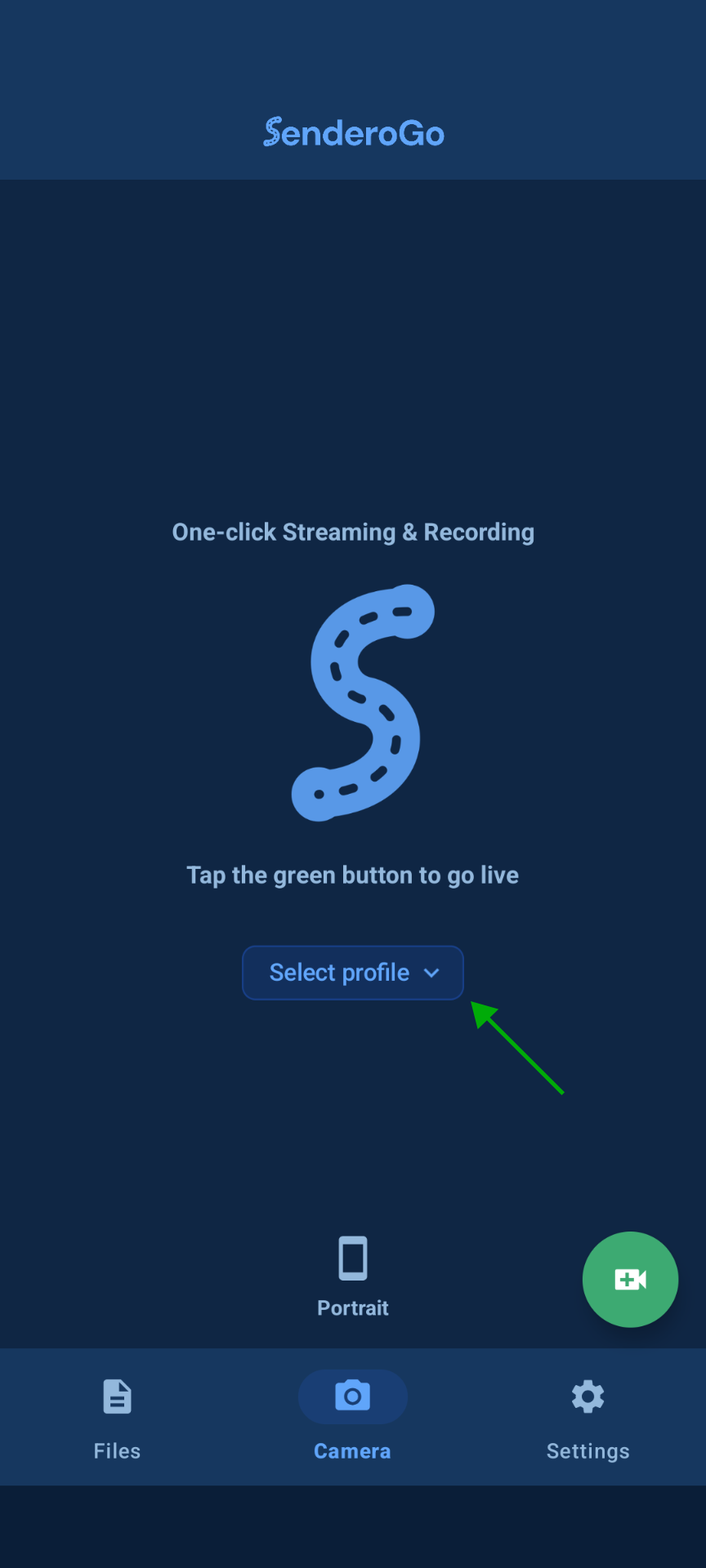
1Open the app and tap the Select profile button.
-
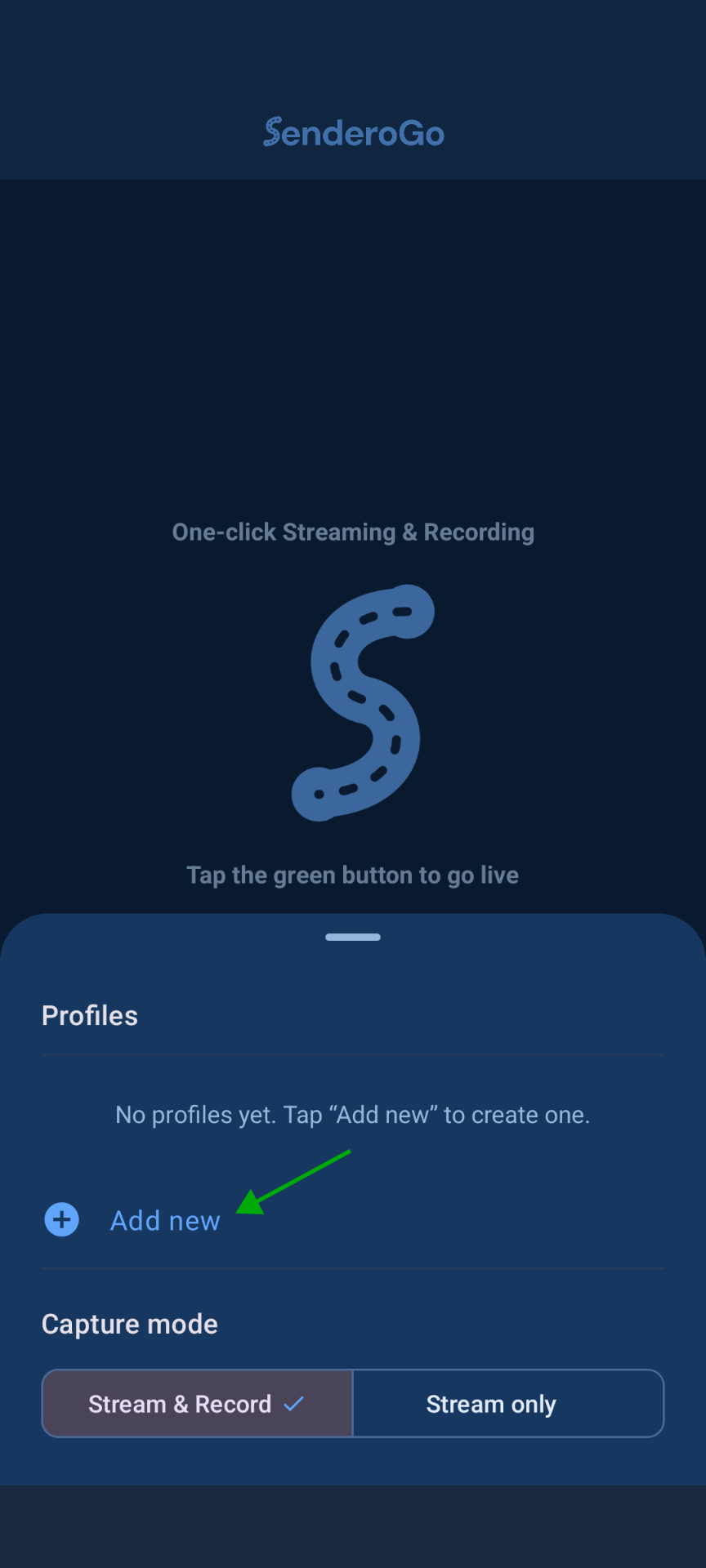
2Choose Add new in the Profiles drawer.
-
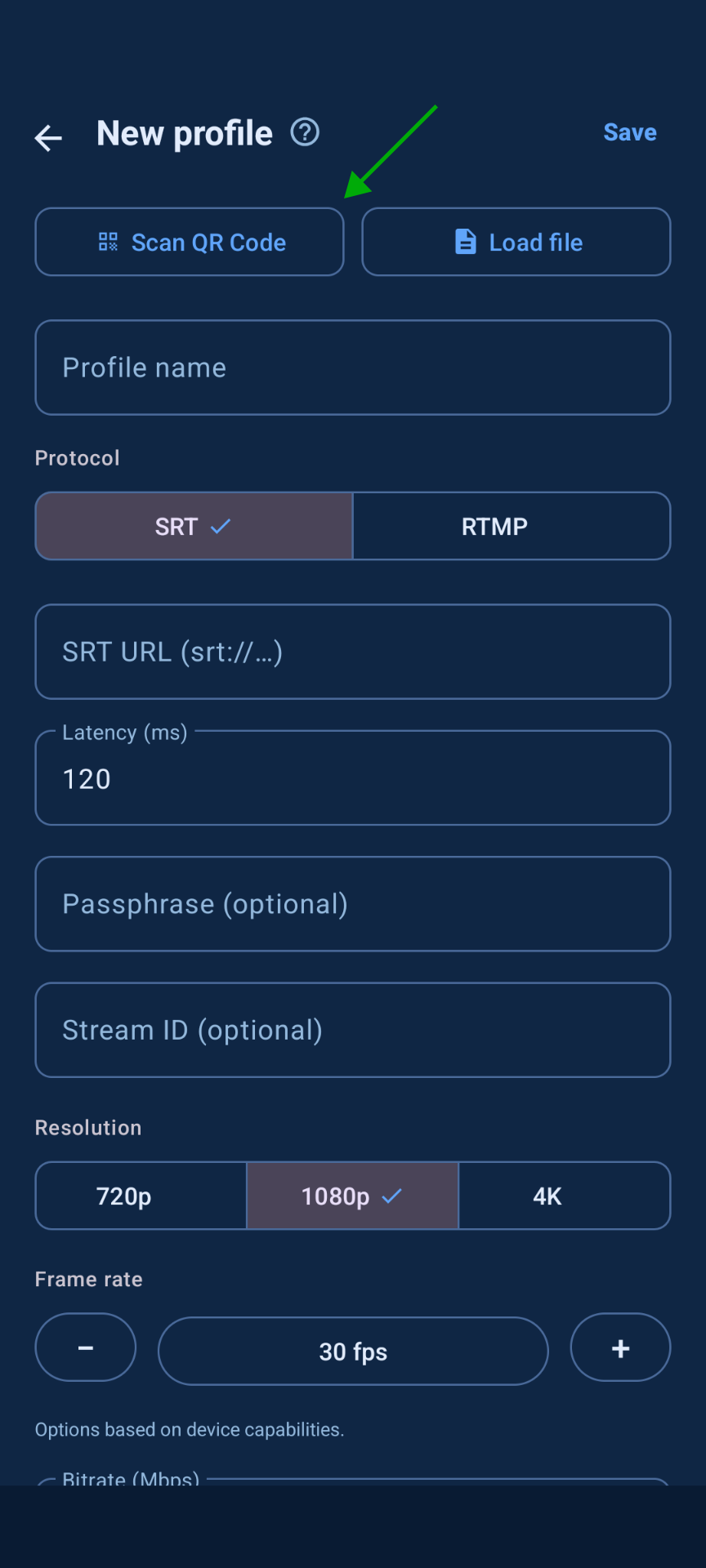
3Tap Scan QR Code, scan your QR code, then click Save.
-
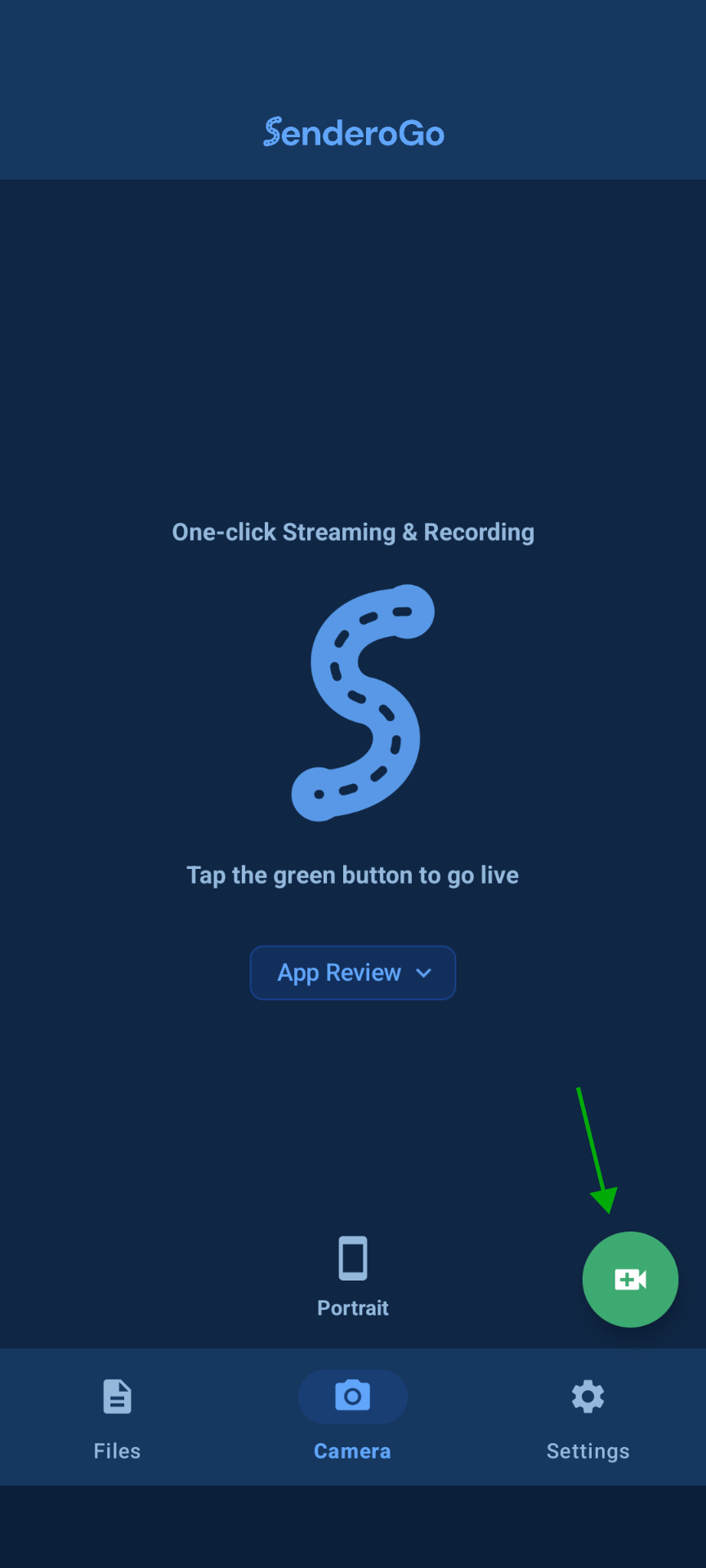
4Back on the home screen, tap the green camera button to go live.
SenderoGo Receiver
-
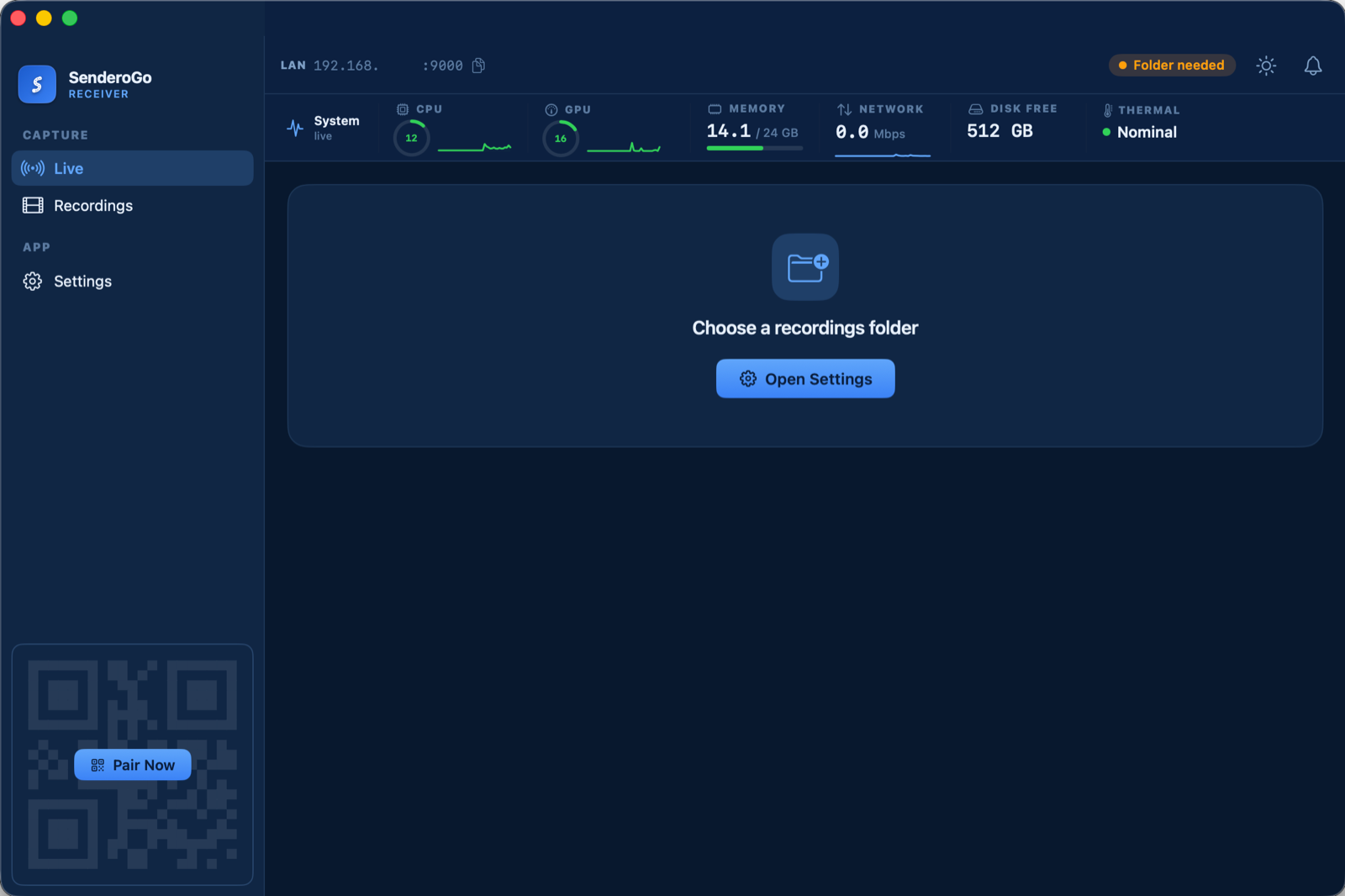
1Open SenderoGo Receiver and click the Open Settings button in the middle of the screen.
-
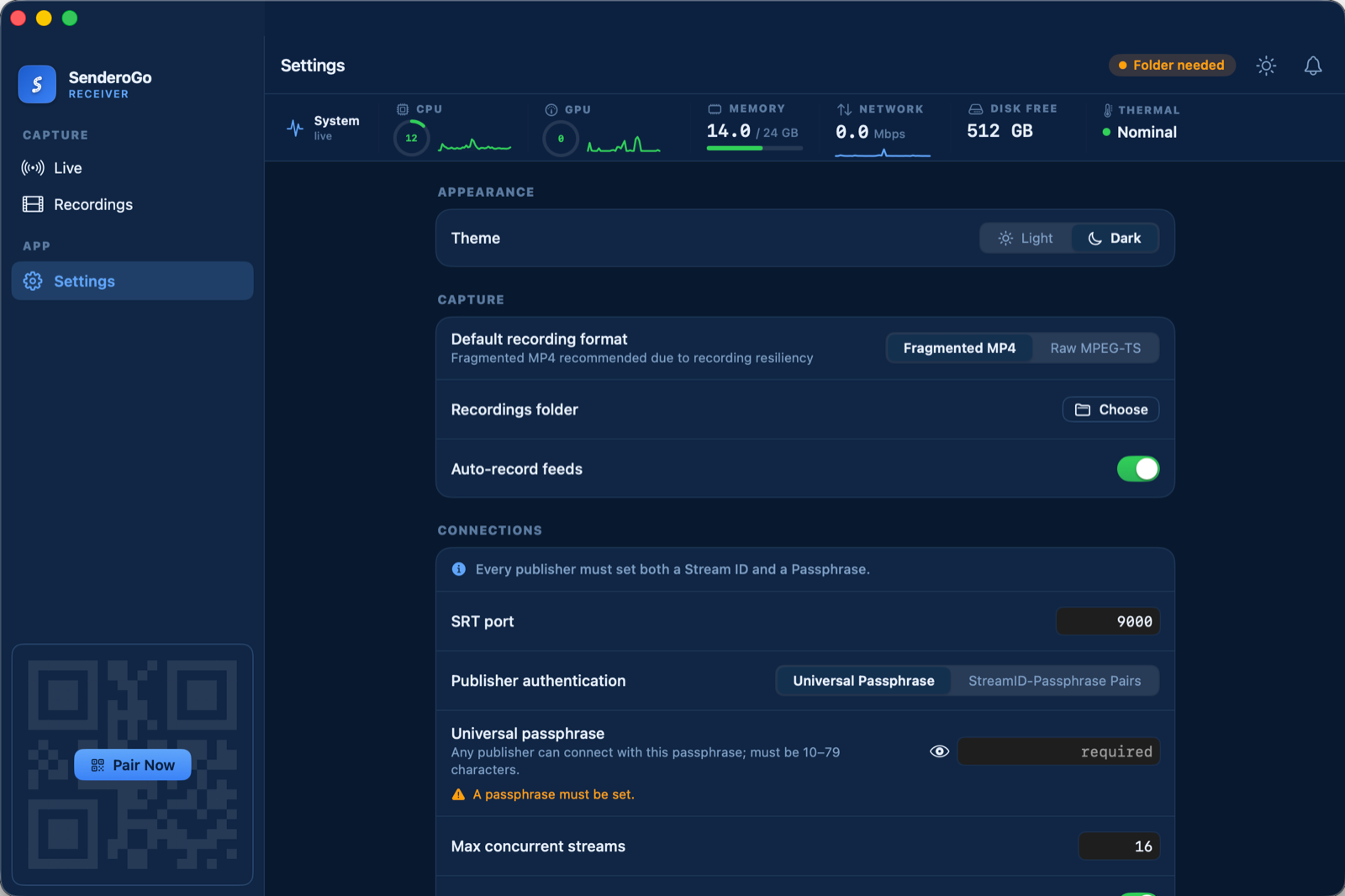
2Under CAPTURE, click Choose to select a folder for recordings to be saved in.
-
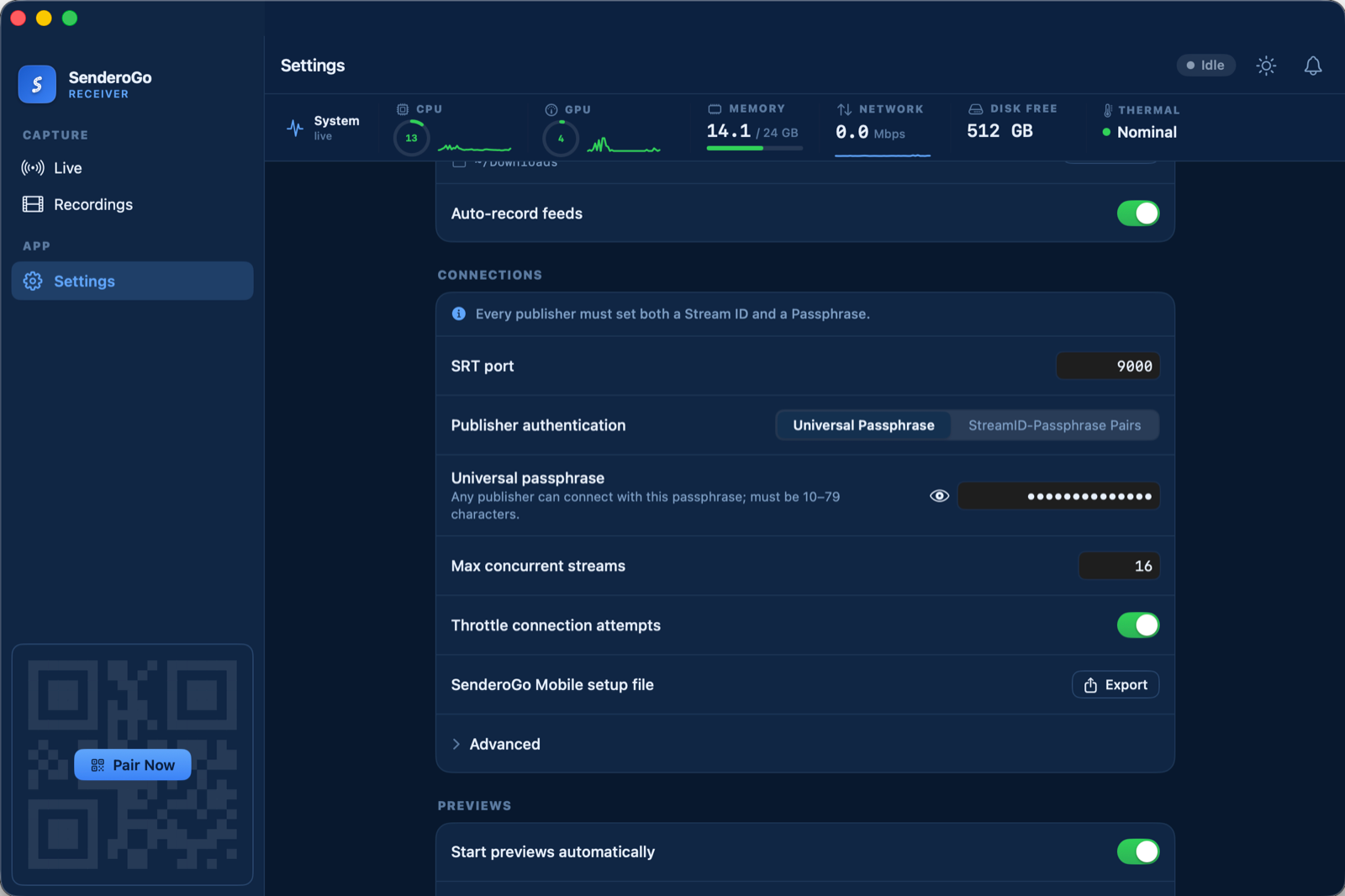
3Under CONNECTIONS, Universal Passphrase is the default selection, but a passphrase will need created. Enter one in the text box.
4Under CONNECTIONS, click Export next to SenderoGo Mobile setup file.
-
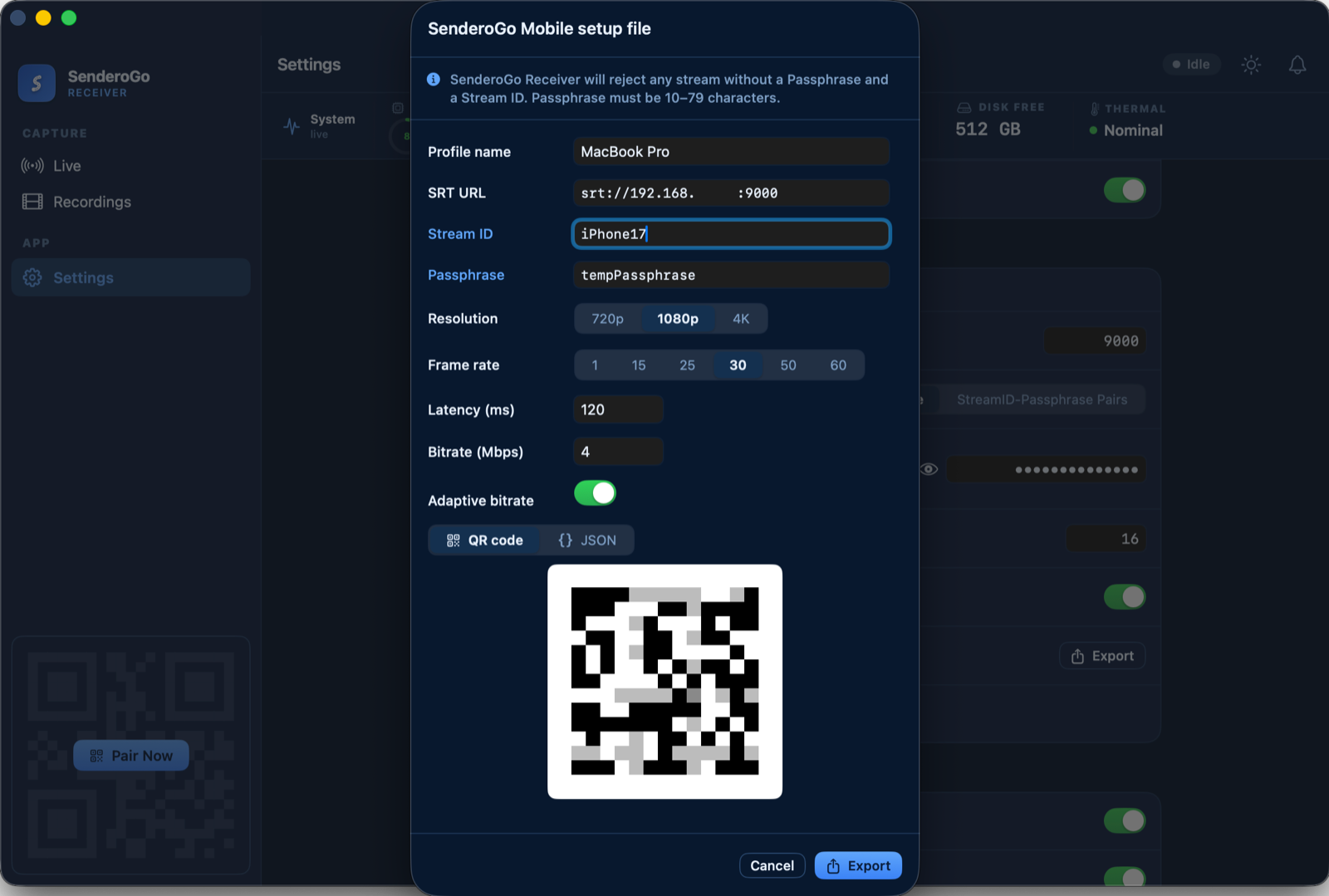
5A dialogue box with a QR code will open. In the Stream ID field, type a name or unique identifier for the device you will be pairing with. All other fields can be left with their defaults unless you wish to change them.
6Either scan the QR code immediately with SenderoGo Mobile or click Export to save it as a .png file.
-
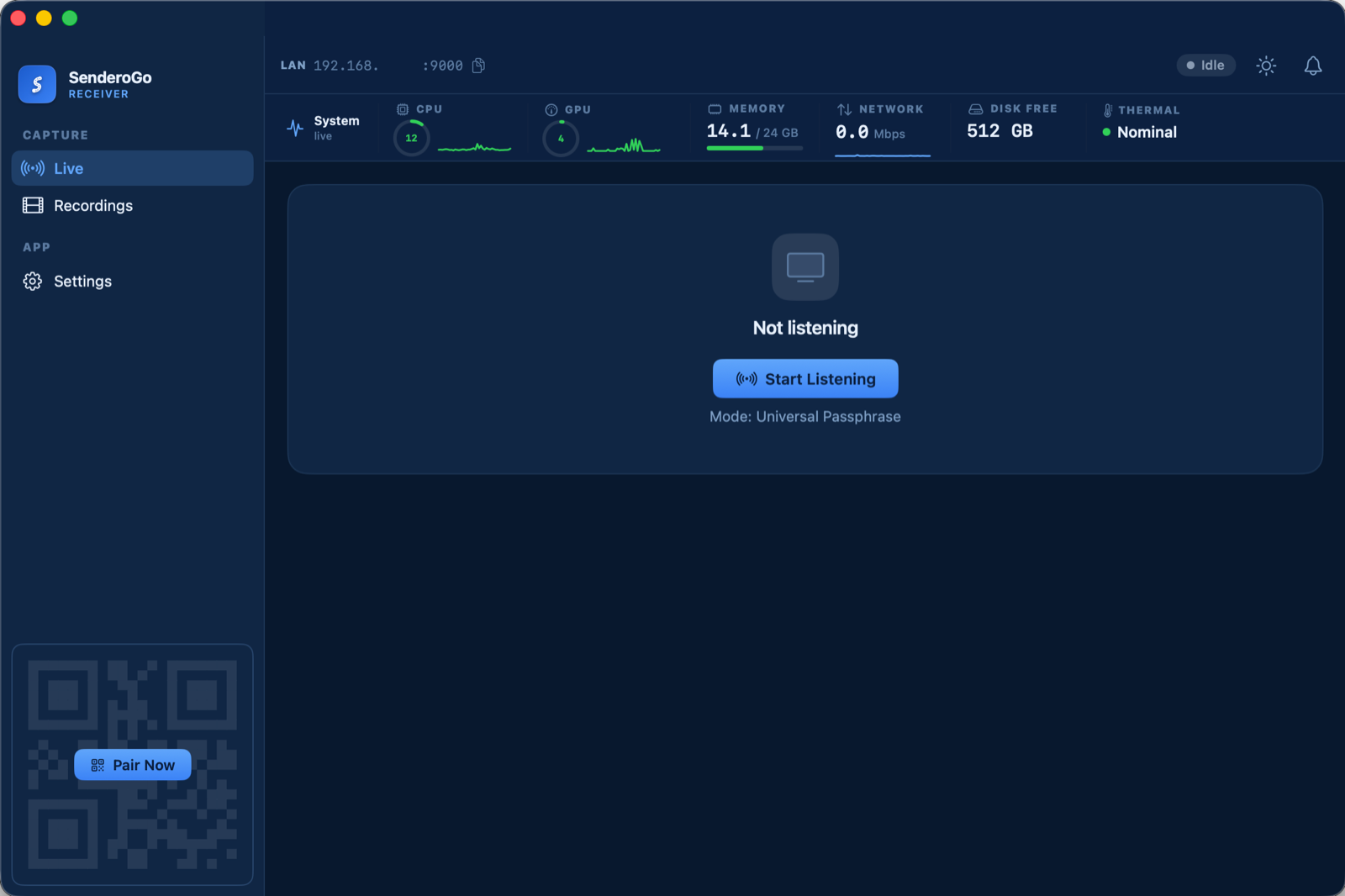
7Return to the LIVE page and click Start Listening to enable receipt of video streams.
-
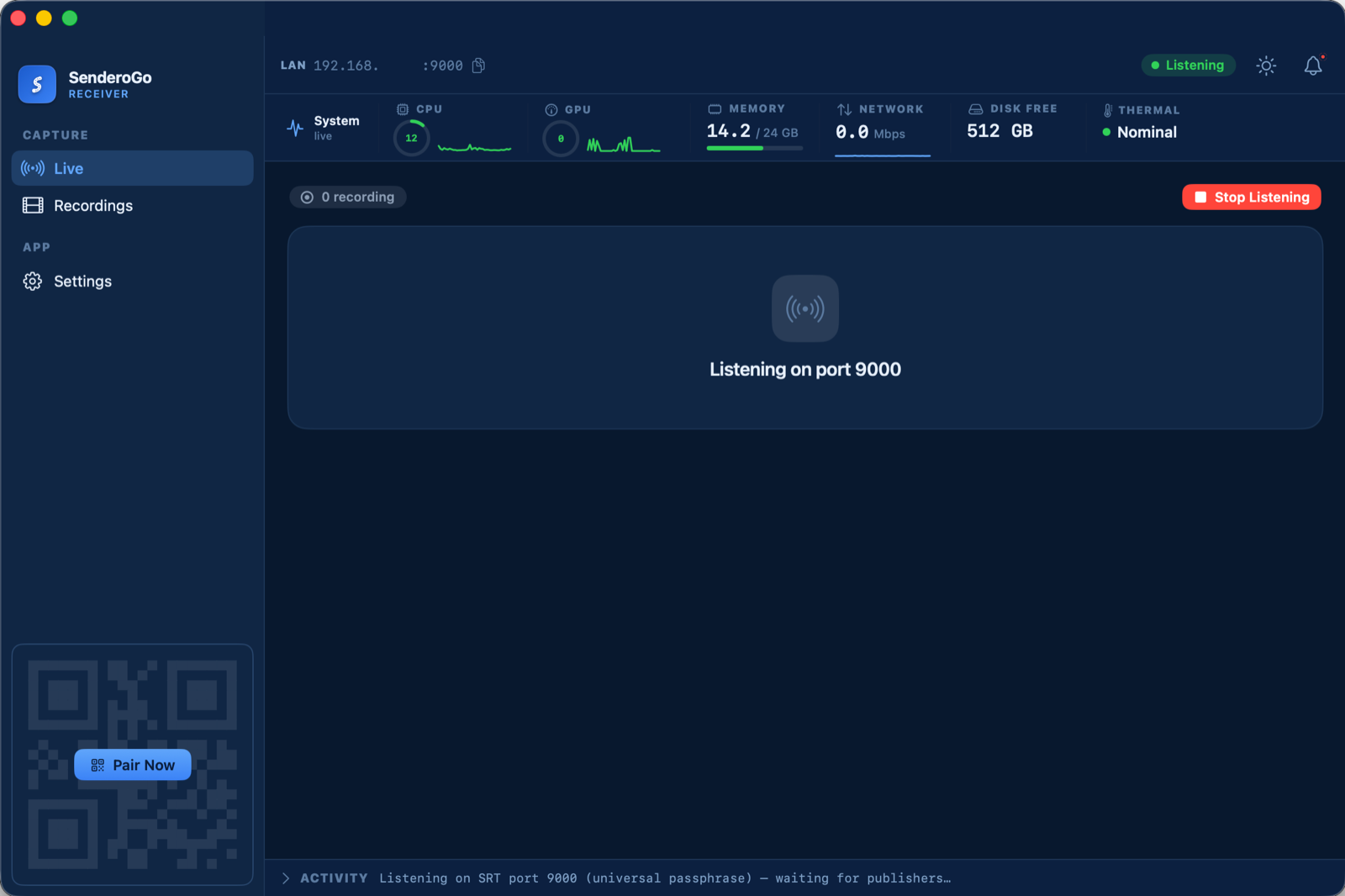
8If successful, you will see the message Listening on port XXXX.
Local-network streaming
For publishers and receivers on the same WiFi network or wired LAN.
- Find the receiver machine's local IP address.
- Enter it as the SRT target in the publisher app.
- Start streaming.
Remote streaming with Tailscale
To stream from anywhere with internet connectivity, we recommend a third-party service such as Tailscale. Tailscale is an independent service and is not affiliated with SenderoGo.
- Install Tailscale on the phone (publisher) and the receiver machine; sign both into the same Tailscale account.
- Find the receiver's Tailscale IP (or MagicDNS name).
- In the publisher app's settings, use that Tailscale address as the SRT target.
- Start streaming from anywhere over the internet.
FAQ
What is SenderoGo Mobile?
SenderoGo Mobile is the app that turns your mobile device into a livestreaming transmitter, capturing and sending video via the SRT or RTMP protocols. It is compatible with most Android and iOS devices.
What is SenderoGo Receiver?
SenderoGo Receiver is the Master Control Room for your livestreaming system. It receives, records, and routes live SRT video streams from the SenderoGo Mobile app (or any other SRT transmitter).
Who is SenderoGo for?
SenderoGo is for news organizations, emergency responders, aid organizations, event producers, and streamers who need a reliable way to transmit high-quality live video without worrying about data loss. Whether on a local network or over the internet, SenderoGo provides reliability and redundancy.
What is Secure Reliable Transport (SRT)?
Secure Reliable Transport (SRT) is an open protocol built for sending video over unpredictable networks like cellular. Unlike RTMP, which was designed for stable wired connections and stalls or drops out when packets are lost, SRT detects lost data and resends it on the fly while adapting to changing conditions.
Do I need an account?
SenderoGo does not require an account, though third-party services used alongside it might.
Is SenderoGo free?
Yes. SenderoGo is free.
Where does my video go?
Only to the server or receiver you configure. Your streams do not pass through our own servers and we have no way of accessing your streams.
Is my stream encrypted?
SRT supports passphrase encryption and SenderoGo Receiver will reject all streams without a passphrase. Using SenderoGo Mobile with your own server or third-party receiver may result in unencrypted streams.
Where can SenderoGo Mobile stream to?
Any SRT or RTMP endpoint such as MediaMTX, NGINX, OBS, YouTube, and Twitch will accept a stream from SenderoGo Mobile.
Where can SenderoGo Receiver receive from?
Any SRT encoder will work with SenderoGo Receiver, though SenderoGo Mobile is easiest to set up.
What are the system requirements?
SenderoGo Mobile: iOS 15 or later (iPhone and iPad), or Android 8.0 or later. SenderoGo Receiver: an Apple silicon Mac running macOS 13 or later, a 64-bit PC running Windows 10 (1809) or later, or Debian 13+/Ubuntu 24.04+ Linux on amd64 or arm64, including Raspberry Pi (the CLI receiver).